
Magic-Mark
Advanced Query Builder for Strapi v5 - Save and apply complex Content Manager queries with one click



Overview
Professional bookmark management with role-based sharing, advanced filtering, and drag-and-drop organization for Strapi v5.
Stop rebuilding complex queries every time! MagicMark lets you save any Content Manager query state and restore it with one click.
Key Features
- ✅ Query Bookmarks - Save complex Content Manager filters, sorts, and pagination
- ✅ One-Click Apply - Instantly restore entire query states
- ✅ Emoji Identification - Visual icons for quick bookmark recognition
- ✅ Pin to Top - Keep frequently used bookmarks always accessible
- ✅ Drag & Drop - Reorder bookmarks effortlessly
- ✅ Role-Based Sharing - Share with specific admin roles
- ✅ Mobile Optimized - Fully responsive design
- ✅ 5 Languages - English, Deutsch, Français, Español, Português
Screenshots
 Professional interface for managing query bookmarks with statistics
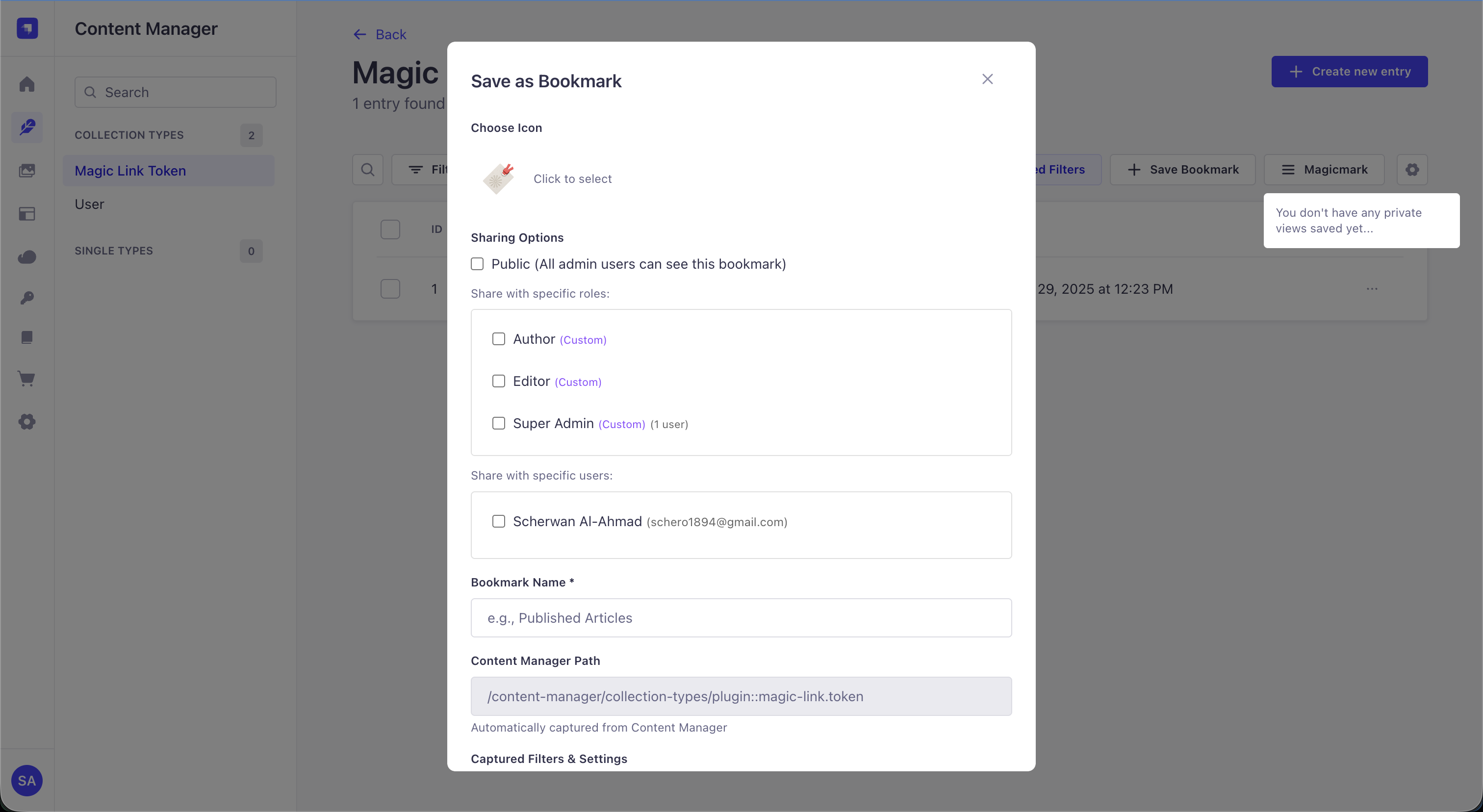 Create bookmarks with emoji, name, description, and sharing options
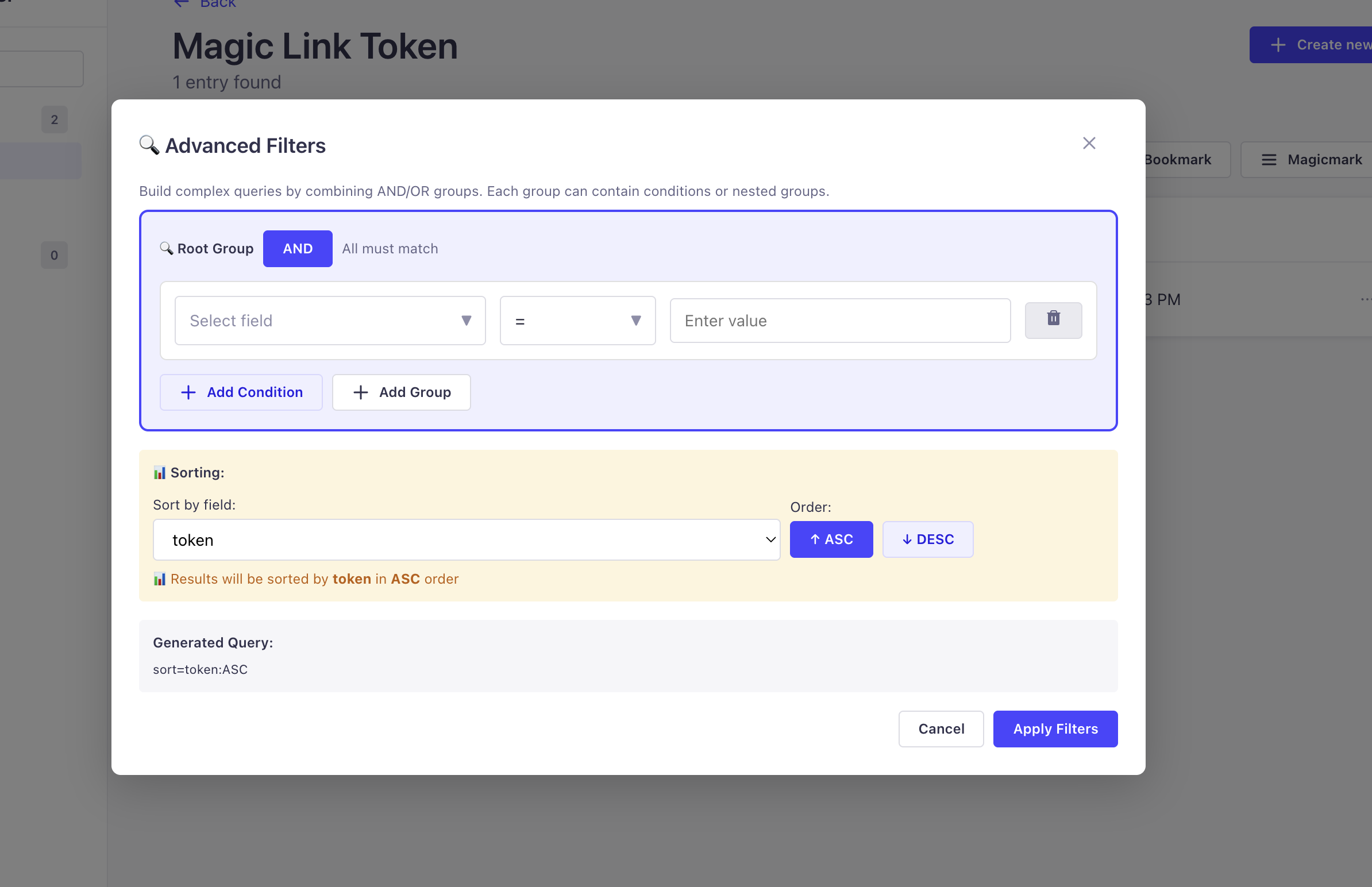 Build complex queries with the advanced filter modal
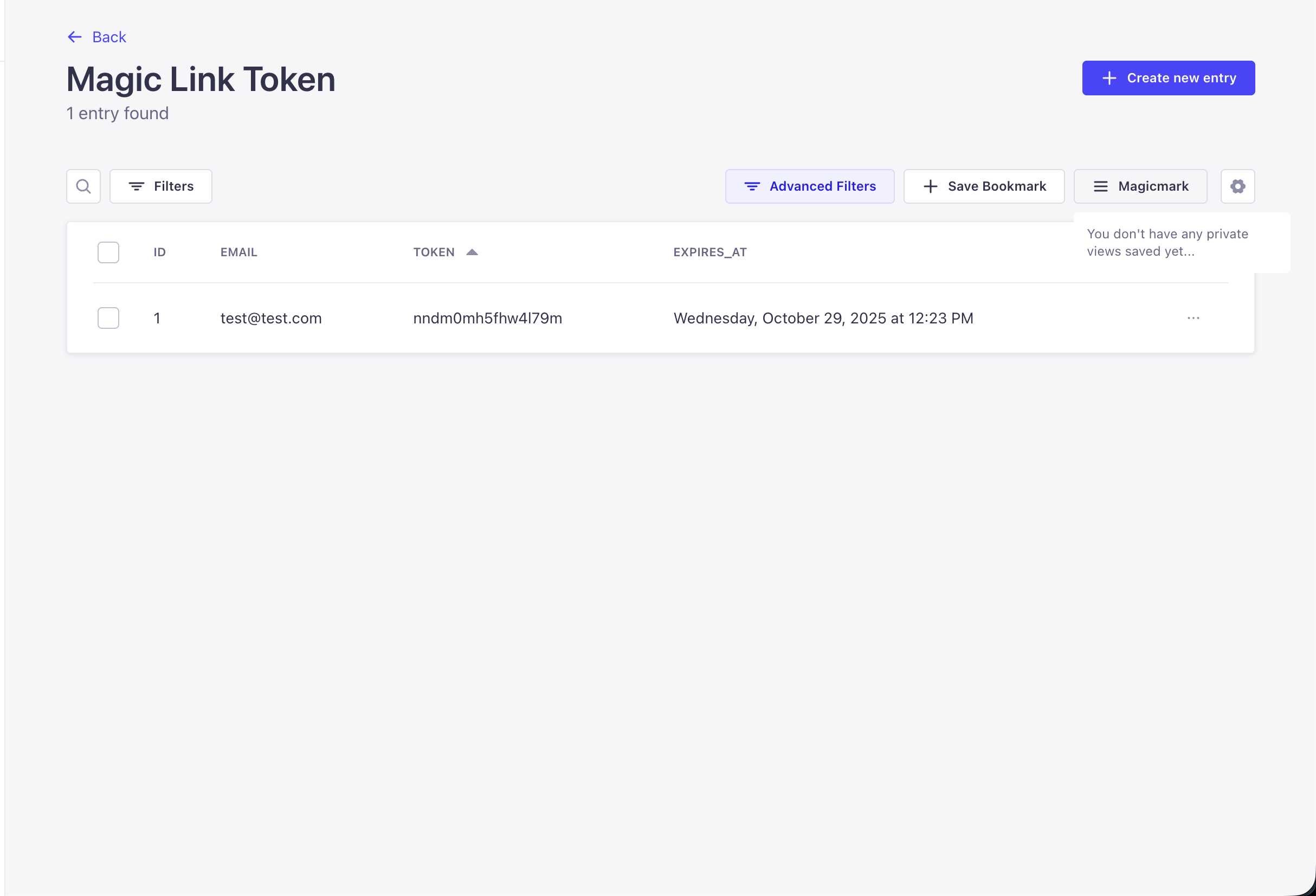 MagicMark button right in the Content Manager toolbar
Quick Start
1. Install Plugin
npm install strapi-plugin-magic-mark
# or
yarn add strapi-plugin-magic-mark
2. Register in Config
Add to config/plugins.ts:
export default () => ({
  'magic-mark': {
    enabled: true,
  },
});
3. Build & Run
npm run build
npm run develop
4. Save Your First Bookmark
- Navigate to any Content Manager collection
- Apply filters, sorting, or search
- Click the MagicMark button in the toolbar
- Click "Save Bookmark"
- Add name, emoji, description
- Click Save
- Done! 🎉
🔄 How It Works
Bookmark Save Flow
User in Content Manager
      ↓
Applies: Filters, Sort, Search, Pagination
      ↓
Click MagicMark Button
      ↓
"Save Bookmark" Modal opens
      ↓
User enters: Name, Emoji, Description, Sharing
      ↓
Query parameters captured
      ↓
Bookmark stored in database
      ↓
Success! Bookmark appears in Dashboard
Bookmark Apply Flow
User clicks MagicMark button
      ↓
List of available bookmarks appears
      ↓
User selects bookmark
      ↓
Navigation to content type happens
      ↓
Query parameters applied:
  - Filters restored
  - Sort order set
  - Pagination reset
      ↓
Content Manager displays filtered results
Use Cases
Content Management
Published Articles 📰
Filter: publishedAt is not empty
Sort: createdAt DESC
Result: Quick access to all published content
Draft Posts 📝
Filter: publishedAt is empty AND status = "draft"
Sort: updatedAt DESC
Result: Focus on work in progress
Recent Updates 🕒
Filter: updatedAt >= 7 days ago
Sort: updatedAt DESC
Result: See what changed recently
Team Collaboration
Shared Queries 👥
- Team members access same filtered views
- No need to re-apply complex filters
- Everyone sees consistent data
Role-Based Access 🔐
- Editors see different bookmarks than Authors
- Managers see different views than Contributors
- Automatic based on admin roles
Public Bookmarks 🌍
- Common queries for entire team
- New members immediately see them
- Save time explaining filters
Power Users
Complex Filters 🎯
Save multi-condition queries:
  - Status = "approved"
  - Category IN ["tech", "news"]
  - Priority >= "high"
  - CreatedAt >= "2024-01-01"
API Routes
Get All Bookmarks
GET /api/magic-mark/bookmarks

Response:
{
  "data": [
    {
      "id": 1,
      "attributes": {
        "name": "Published Articles",
        "emoji": "📰",
        "description": "Recent published content",
        "path": "/content-manager/collection-types/api::article.article",
        "query": "filters[$and][0][publishedAt][$notNull]=true",
        "isPinned": true,
        "isPublic": false
      }
    }
  ],
  "meta": { "count": 5 }
}
Create Bookmark
POST /api/magic-mark/bookmarks
Authorization: Bearer JWT_TOKEN

Request:
{
  "data": {
    "name": "Draft Posts",
    "emoji": "📝",
    "description": "Unpublished drafts",
    "path": "/content-manager/collection-types/api::article.article",
    "query": "filters[0][publishedAt][$null]=true",
    "isPublic": false,
    "sharedWithRoles": [1, 2]
  }
}
Reorder Bookmarks
POST /api/magic-mark/bookmarks/reorder
Authorization: Bearer JWT_TOKEN

Request:
{
  "bookmarkIds": [3, 1, 5, 2, 4]
}
Pricing
| Feature | Free | Premium | Advanced |
|---|---|---|---|
| Bookmarks | 10 | 50 | Unlimited |
| Advanced Filters | ✅ | ✅ | ✅ |
| Role Sharing | ✅ | ✅ | ✅ |
| Drag & Drop | ✅ | ✅ | ✅ |
| Query History | ❌ | ✅ | ✅ |
| Analytics | ❌ | ❌ | ✅ |
| Bulk Operations | ❌ | ❌ | ✅ |
Next Steps
- Installation Guide - Complete setup instructions for all MagicDX plugins
- Pricing Details - View all pricing tiers and what's included
- Compare Plugins - See how Magic-Mark compares to other MagicDX plugins
- GitHub Repository - Full source code & detailed documentation
Get Magic-Mark
Start bookmarking your queries today. Free tier available!
No credit card required · Free tier forever · 30-day money-back guarantee
Related Plugins
Perfect Together:
- 📧 Magic-Mail - Bookmark email templates and queries
- 🔐 Magic-Sessionmanager - Bookmark user session filters
- 🔗 Magic-Link - Bookmark authentication token views
💬 Support & Resources
- 📖 Full Documentation - Complete plugin guide
- 🐛 Report a Bug - GitHub Issues
- 💡 Request a Feature - Feature discussions
- 📧 Email Support - Direct support
Made with 🔖 by Schero D.
MagicMark - Bookmark your way to productivity ✨